
Creation Hub tour
Learn where each creation task lives and how the three Creation Hub views work together.
Start from Creations
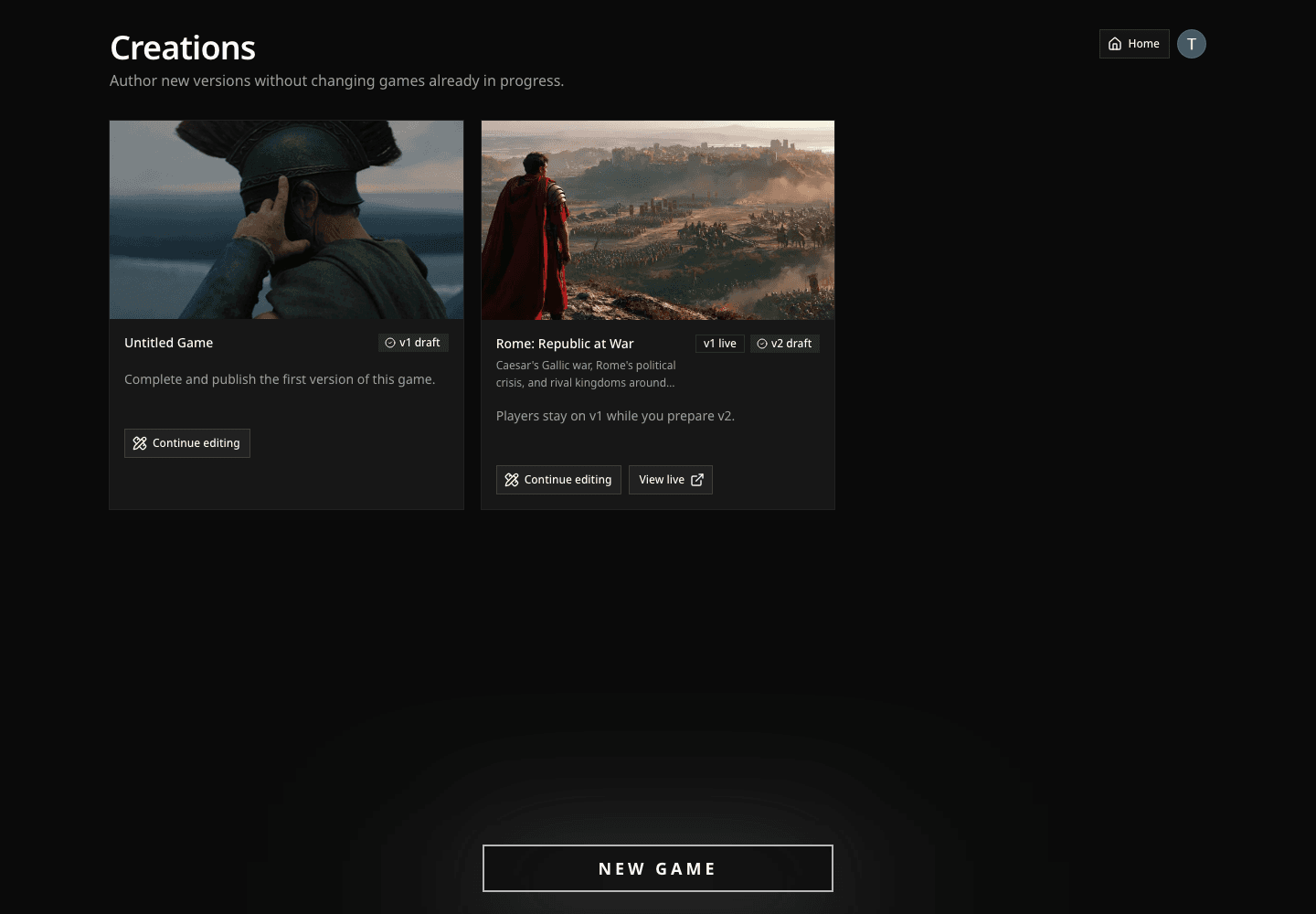
The Creations page is where every game you own begins and returns. Select New Game to build a new board, or Continue editing to reopen a draft.
Published games use versions. A live version remains available to players while you prepare the next draft. Editing that draft never rewrites games already in progress.
New to creation? Start with Your first game for one exact path from a compact board to publication. Return here when you want to understand the full workspace.
Choose your board
Choose World map for a real place, or Map Generator to shape an imagined landscape or import an Azgaar map. The Map Generator guide covers that second path.
With World map, search for a place, then shape the rectangle around the part of the world your game needs.
- The rectangle becomes the geographic extent of the board.
- Generate board turns that extent into fixed cells you can name and edit.

Frame the smallest area that contains the game's meaningful movement. More geography creates more cells to name, inspect, and balance; it does not automatically create more interesting play.
Rome: Republic at War needs Gaul, Italy, the Mediterranean, North Africa, and the eastern frontier because those places can affect the same political and military story.
Learn the three Creation Hub views
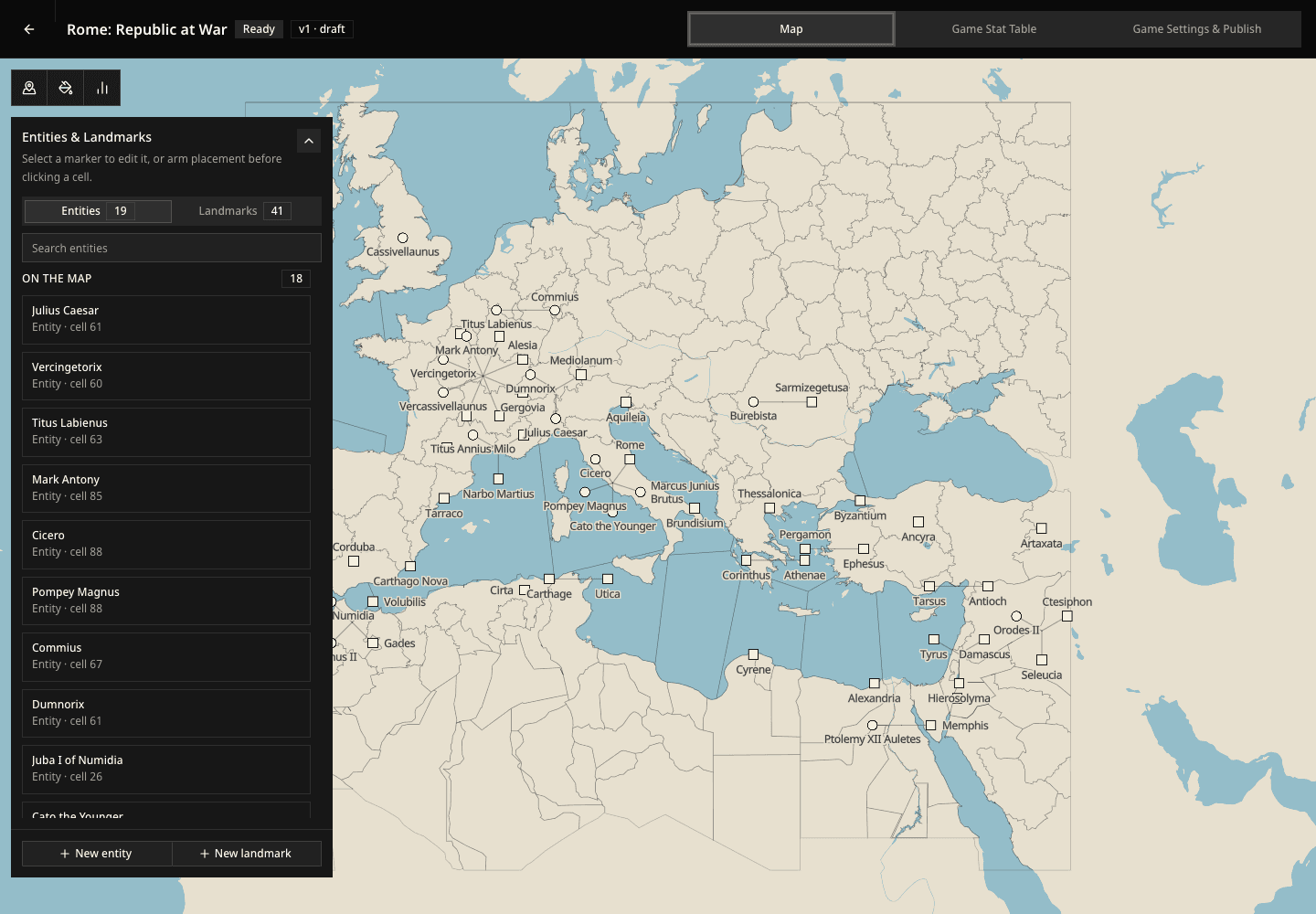
The Creation Hub gives you three ways to work on the same game:
- Map — place entities and landmarks, edit locations, paint cells, and inspect stat layers.
- Game Stat Table — compare and edit starting values across the whole world.
- Game Settings & Publish — explain the player promise, write the rules, choose the starting moment and visual direction, then publish.
Inside the Map view, switch between Entities & Landmarks, Cells, and Game Stats depending on the decision you need to make.
Build in an order that reveals problems early
Write the premise. Name the immediate situation and the conflict that makes this moment playable.
Place at least one entity. Every entity is available as a role; placing one gives the opening world an actor with a map position and satisfies the publication requirement. Keep later arrivals off the map deliberately.
Add landmarks that create decisions. A fixed place should matter because characters can visit, use, defend, lose, or transform it.
Define a small stat system. Choose who carries each stat, then give its named values clear labels and colors.
Set the opening values. Use a default for the common case. Leave it off when only selected cells, entities, or landmarks should begin with a value.
Inspect the map layers. Look for missing values, crowded markers, and territorial colors that do not match the conflict you want players to enter.
Write Simulation Rules and publish. Explain how the world responds, complete Publish Readiness, and release the version.
Test the character promise
Before publishing, ask the same question for every entity: What can this role attempt on the first turn that another role cannot?
If the answer is unclear, strengthen the entity's position, relationships, resources, or immediate pressure before adding more content elsewhere.