
Playing the game
Turn intentions into actions, advance time, and follow the consequences across the world.
The core loop
Every turn follows the same rhythm:
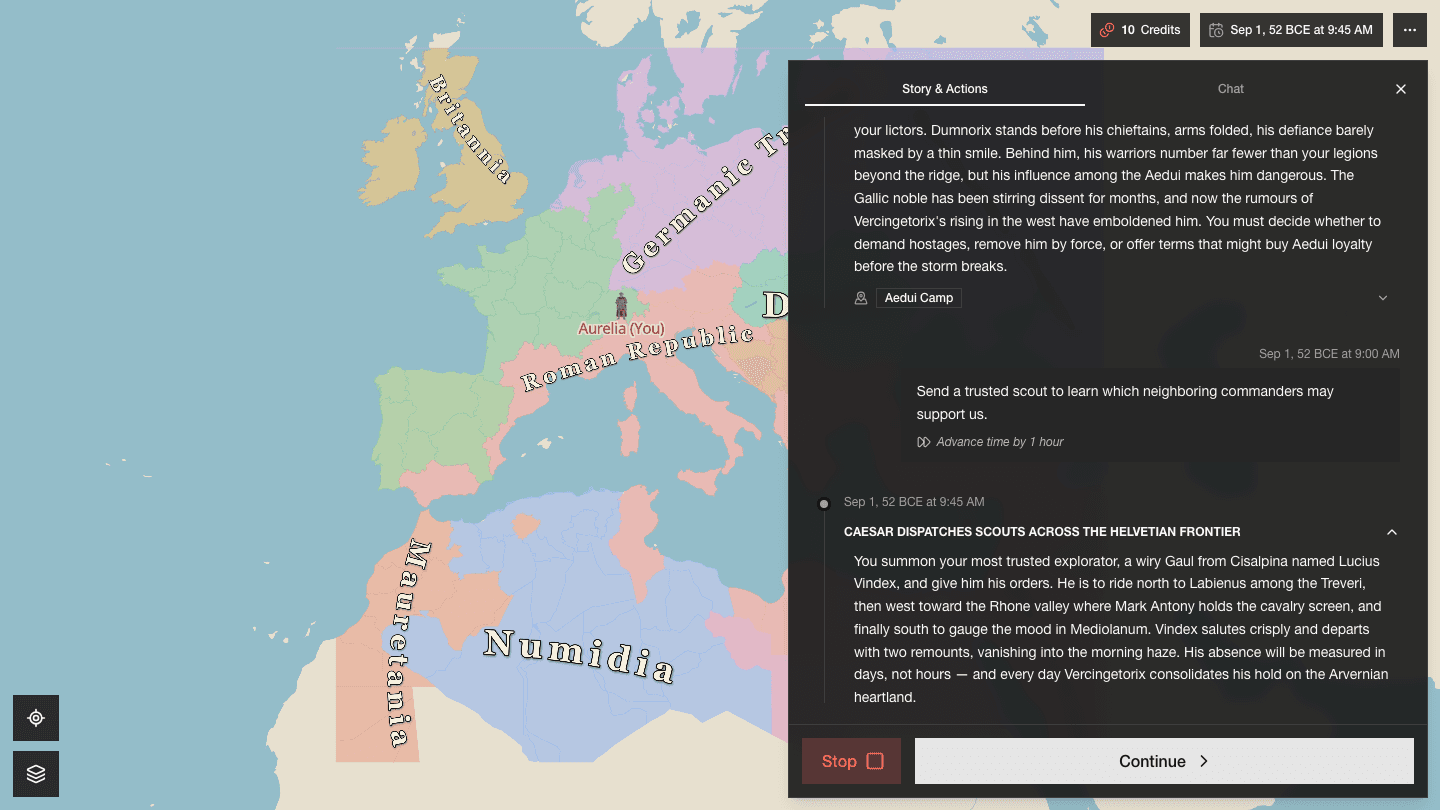
Read the current situation. The journal tells you what just happened, who is involved, and which changes matter now.
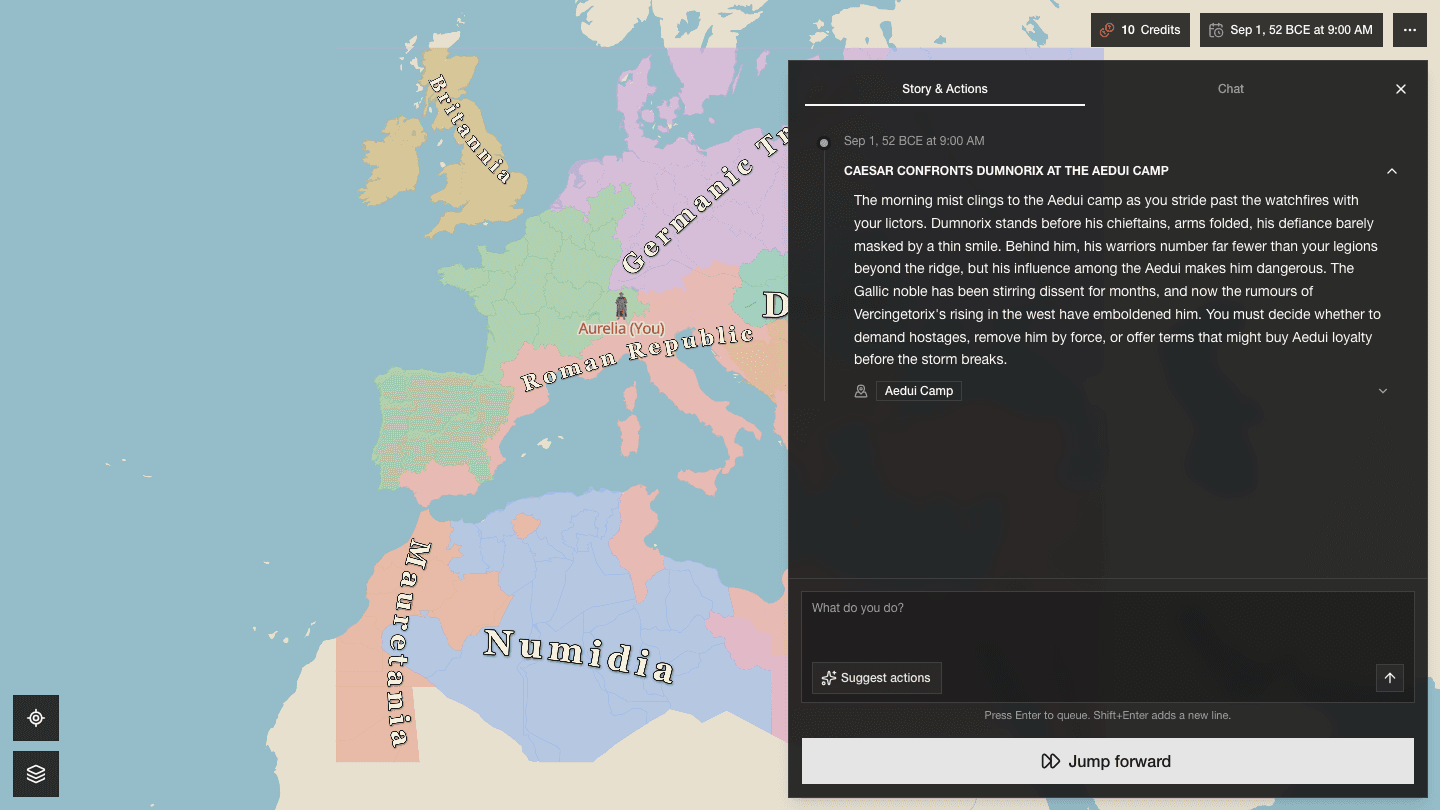
Queue what your character will do. Write one action and press Enter. Add more actions when they form one coherent plan.
Jump forward. Choose how much story time should pass. Davia resolves your plan alongside the rest of the world.
Read the consequences. New events, movement, and stat changes become the starting point for your next decision.
Difficulty and realism
You choose these before you start a game, and they stay with it. Difficulty changes how hard people push back; realism changes the detail you read and how closely events follow the world's practical limits. Read Game settings if you want a lighter arcade feel, a balanced start, or a harder challenge.
Write intentions, not commands
Use the action box for anything your character tries: speech, travel, investigation, negotiation, preparation, combat, or a sequence of related steps. Be concrete about the outcome you want, but leave room for resistance and uncertainty.
In Rome, “Win Gaul” is too broad for one turn. “Send Labienus to secure the supply road while I meet the Aeduan chiefs” gives the world two clear actions with people, places, and stakes.
The Suggest actions button offers ideas when you want a nudge. Suggestions are optional; your own plan can go in a completely different direction.
Let time do real work
Select Jump forward after queueing your actions. A short jump suits a meeting or a nearby movement. Days, months, or a custom date give distant plans and other actors more room to unfold. To next major event is useful when the exact duration matters less than reaching the next meaningful change.
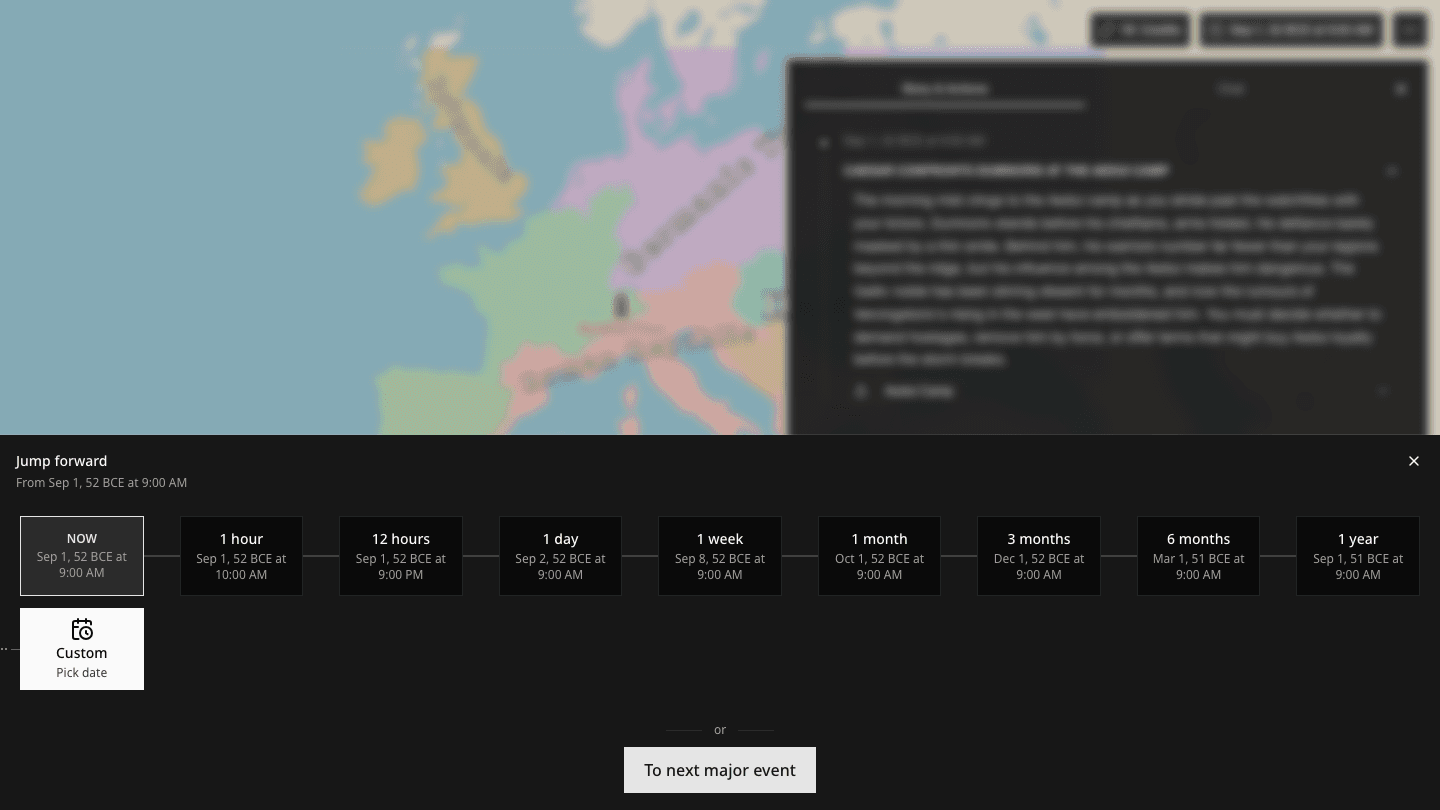
A longer jump is not a pause button. Rivals can act, armies can move, and unstable situations can worsen while your character is busy.
Follow consequences on the map
Events explain what changed and connect the result to the people and places involved. A battle can reduce an army's strength, break morale, move a commander, and alter the allegiance of a cell in the same turn. Those are persistent changes, not a detached paragraph of narration.
Speak to other characters
Open Chat when you want a direct conversation with an entity your character can contact. A private exchange can reveal intentions, make promises, issue orders, or create new tensions. What is said can matter when the main world advances.
Plausibility still applies. A distant rival does not appear beside you because you opened Chat; the exchange must fit the world's available means of contact and the current relationship.
Choose 3D or a lighter map
Open Settings from the three-dot button in the top-right corner during a game. Keep 3D on to draw characters and landmarks as 3D assets. Turn it off to use a lighter 2D marker view; overlapping markers scatter around their shared position so they remain readable and selectable.
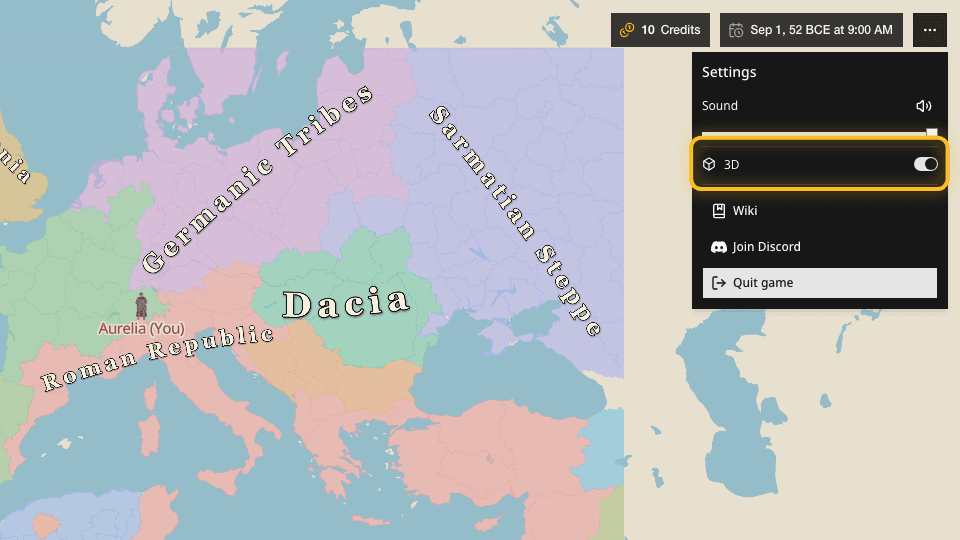
If moving or zooming the map feels laggy, turn 3D off. This changes only how the map is drawn; your character, actions, stats, locations, and world remain unchanged.
Leave and return
Davia saves your position, the current date, the journal, and the world's state. Return through Continue Playing in the Showcase. You are coming back to the same world, not restarting a scene.